Anonymous-First Authentication with Cognito Identity Pool
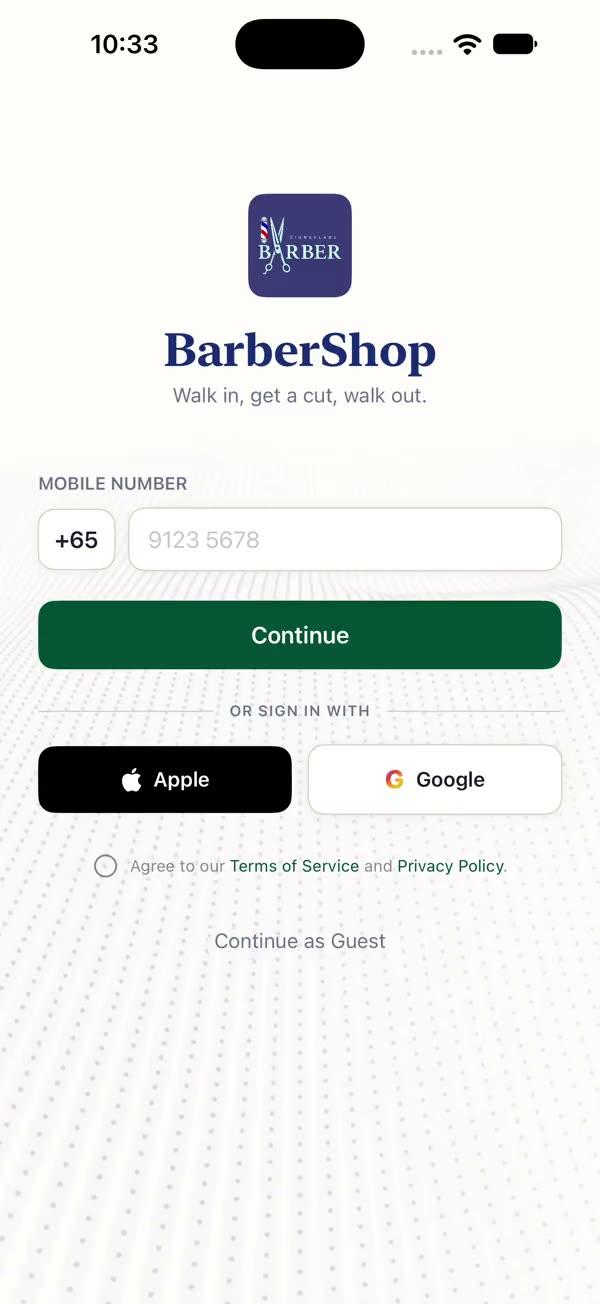
Anonymous-first authentication for iOS and macOS apps — users access core features immediately without signing in, with optional sign-up/sign-in (Apple, Google, email) and seamless data migration from anonymous to authenticated accounts. Uses Cognito Identity Pool for unique identity tracking and Hono middleware for three-level access control.
Copies a short instruction with your private download link. Paste it into your agent: it downloads the whole skill (the source code, the setup steps and the mistakes we already made for you) and builds the screen.
Works with
What it does
Provides anonymous-first authentication for iOS and macOS apps where users can start using core features immediately without creating an account. Every user (anonymous or signed in) gets a unique Identity ID from Cognito Identity Pool, enabling data persistence and optional sign-up later with seamless data migration. The backend uses Hono middleware with three access levels: public, identity-required (anonymous + authenticated), and auth-required (authenticated only).
Choosing between auth skills: This skill is for apps that let users try core features without signing in first (e.g., utility apps, content apps, freemium tools). If your app requires users to sign in before accessing any features, use auth-cognito instead.
What you get
- ✓1,507 lines of source code, ready to paste
- ✓Architecture
- ✓Dependencies
- ✓Implementation
- ✓Integration Checklist
- ✓Common Customizations
- ✓Known Pitfalls
- ✓Security Rules (do not skip)
Architecture
iOS App
  SWUserManager (@Observable)
    |--- SWAuthService (actor, Amplify SDK)
    |       |--- fetchIdentityId (Identity Pool, anonymous + authenticated)
    |       |--- signInWithApple / signInWithGoogle (login upgrade)
    |       |--- fetchTokens / refreshSession
    |       |--- fetchUserProfile
    |       |--- signOut / deleteUser
    |
    v
Cognito Identity Pool (core)
    |--- Unauthenticated role --> anonymous Identity ID
    |--- Authenticated role --> linked Identity ID
    |
    v
Cognito User Pool (optional sign-in)
    |--- Apple / Google / Email
    |
    v
App Runner (Hono backend, direct)
    |--- Level 0: Public (no auth)
    |--- Level 1: identityMiddleware (X-Identity-Id)
    |--- Level 2: authMiddleware (Bearer JWT + X-Identity-Id)
    |--- POST /v1/auth/sync (data migration)
Why Anonymous-First?
| Criteria | Anonymous-First | Login-Required |
|---|---|---|
| User friction | Zero — instant access | High — must create account first |
| Conversion funnel | Try before committing | Must commit upfront |
| Data persistence | Identity ID tracks anonymous data | Only after account creation |
| Best for | Utility apps, content apps, freemium | Social apps, enterprise tools |
| Complexity | Higher (data migration needed) | Lower (no migration logic) |
Integration Checklist
Phase 1: AWS Setup
- Deploy CDK stack (creates Identity Pool, User Pool, Domain)
- Record from CDK outputs: User Pool ID, Client ID, Identity Pool ID, Cognito Domain
amplifyconfiguration.jsonmust includeCredentialsProvidersectionAmplify.configure()must be called inApp.init()before any auth operations
Phase 2: iOS Setup
- Add Amplify Swift SPM package (Amplify, AWSCognitoAuthPlugin, AWSPluginsCore)
- Add URL Scheme in Info > URL Types (e.g.,
myapp) - Add
amplifyconfiguration.jsonto the project (fill in values from Phase 1) - Add SWUserManager.swift to the project
- Wire up session state to control navigation in App.swift
Phase 3: Backend Setup
- Add auth middleware (identityMiddleware + authMiddleware)
- Create users table with
identityIdandcognitoSubcolumns - Implement POST /v1/auth/sync endpoint
- Use
userId(notidentityId) as foreign key in all business tables
Phase 4: Data Migration
- Sign-in flow saves
previousIdentityIdbefore login - After sign-in, call POST /v1/auth/sync with
previousIdentityId consumePreviousIdentityId()is one-time use (cleared after consumption)- Customize
migrateAnonymousData()for your app-specific tables
Phase 5: Testing
- Fresh install: app starts in
.anonymousstate with valid Identity ID - Anonymous user can use core features (Level 1 routes work)
- Apple Sign In upgrades to
.authenticatedstate - Anonymous data migrated to authenticated account after sync
- Sign out returns to
.anonymouswith new Identity ID - Account deletion returns to
.anonymous - Kill + reopen app: session state correctly restored
- Network failure on first launch: retry mechanism works (3 attempts)
Known Pitfalls
1. First install: fetchIdentityId() may fail
Symptom: fetchIdentityId() throws an error on the very first launch after install.
Cause: On first install, Cognito Identity Pool may fail due to network timing (especially on cellular). The Amplify SDK needs to make a network call to provision the Identity ID.
Fix: The initializeAuth() method includes a 3-retry mechanism with exponential backoff (1s, 2s, 4s). Never skip this retry logic.
2. Identity ID changes when anonymous user signs in
Symptom: Anonymous user loses all their data after signing in.
Cause: Cognito Identity Pool assigns different Identity IDs for anonymous vs. authenticated sessions:
- Anonymous:
us-east-1:abc123-xxx - Authenticated:
us-east-1:def456-xxx(different!)
Fix: Save previousIdentityId before sign-in, pass it to POST /v1/auth/sync, and migrate all associated data in the database. This is already built into the signInWithApple() / signInWithGoogle() methods above.
3. Identity ID lost after app reinstall
Symptom: Previously anonymous user has no data after reinstalling the app.
Cause: The Identity ID is cached locally by the Amplify SDK. Uninstalling the app deletes the cache, and reinstalling generates a new Identity ID.
Accepted behavior: This is by design. Anonymous data is inherently device-local. Encourage users to sign up to protect their data. Display a notice like "Sign in to keep your data safe across devices."
4. Empty string identityId causes 401 errors
Symptom: API calls fail with 401 even though the user seems to have an Identity ID.
Cause: Edge case where identityId is an empty string, which passes the != nil check but fails the backend middleware.
Fix: SWAPIRequestBuilder.buildIdentityRequest() includes !identityId.isEmpty guard. Always validate before sending.
5. Amplify.configure() must complete before fetchAuthSession()
Symptom: fetchIdentityId() throws a configuration error.
Fix: Call Amplify.configure() synchronously in App.init(). The SWUserManager initialization runs in a Task, which naturally starts after init() completes.
6. CredentialsProvider missing from amplifyconfiguration.json
Symptom: fetchIdentityId() returns an error — "Identity Pool not configured."
Fix: The CredentialsProvider.CognitoIdentity section is required in amplifyconfiguration.json. Without it, the SDK does not know about the Identity Pool. This section is optional in the auth-cognito skill but mandatory here.
7. signOut must re-fetch anonymous Identity ID
Symptom: After sign-out, the app shows an error state instead of returning to anonymous mode.
Fix: After authService.signOut(), call authService.fetchIdentityId() to get a new anonymous Identity ID. The signOut() method in SWUserManager already handles this.
More in Onboarding and sign in